
ShopLinx Logo
Home
Features
Case Studies
Pricing
Blogs
Contact
LoginFree Forever
ShopLinx Logo

Transform your business with our cutting-edge AI solutions. Experience seamless customer interactions, efficient inventory management, and data-driven insights that drive growth and success.

Quick Links

  • Home
  • Features
  • Case Studies
  • Pricing

Company

  • About Us
  • Blogs
  • Videos
  • Terms & Conditions
  • Privacy Policy

Contact Us

  • Time Square, Maneksha Nagar, Dwarka, Nashik, Maharashtra 422011
  • hello@shoplinx.ai
  • +91 93071 97804
Accepted Payment Methods:
StripeVisaMastercardUpiPayPal

© Copyright 2025, All Rights Reserved by Shoplinx.

Free Forever
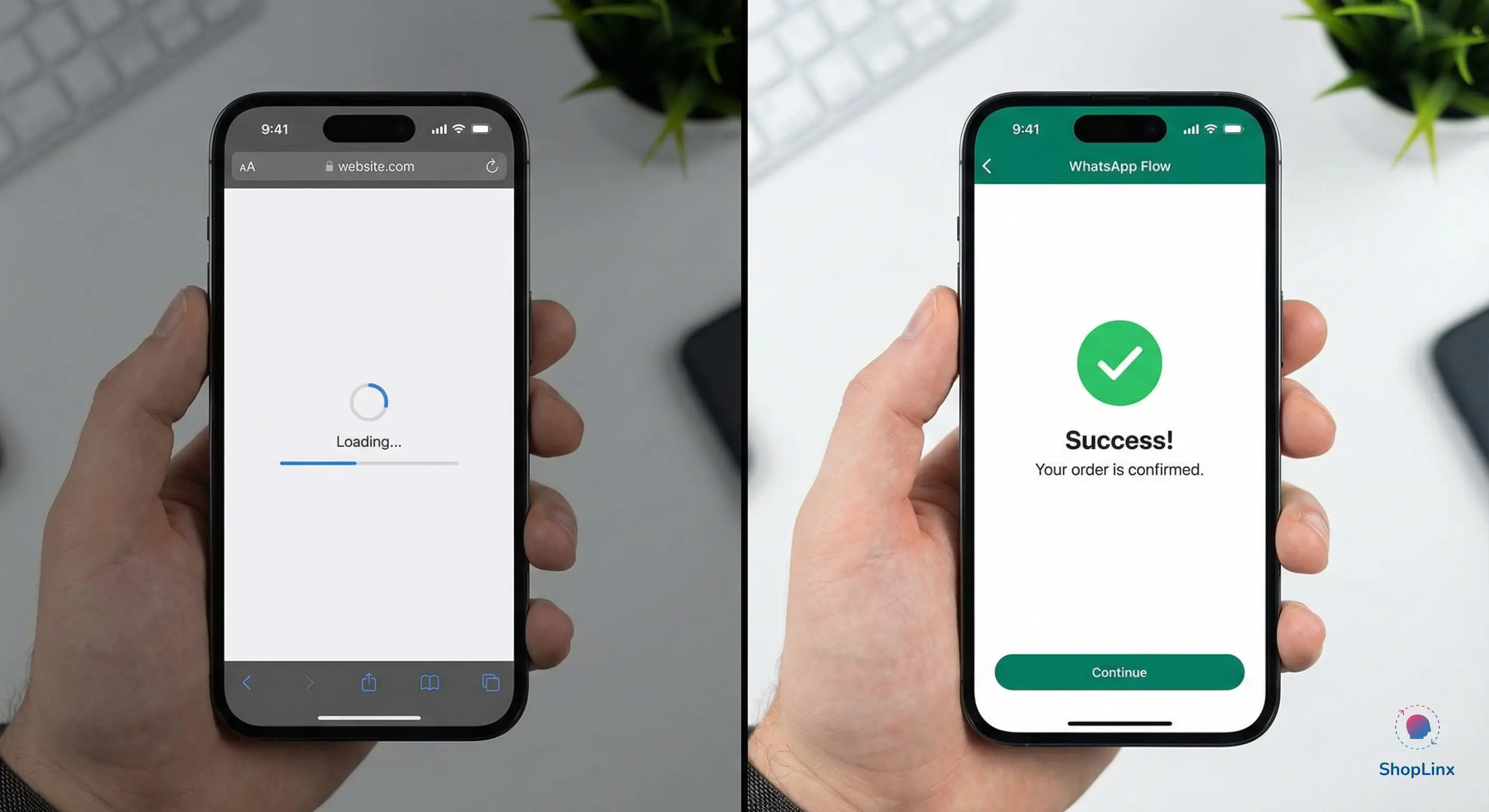
Comparison showing instant WhatsApp Flow loading vs slow external website loading
All Blogs
Marketing Automation / Product Innovation 14 min read

Building Interactive Lead Forms and Booking Systems with WhatsApp Flows in 2026

H

Hitesh K

|
March 2, 2026
|
14 min
Share
H

Hitesh K

|
March 2, 2026
|
14 min read
Share
Table of Contents
1The End of "Chat-to-Link" Friction2How WhatsApp Flows Work Without a WebsiteThe "No-Code" Reality of 2026Expert Insight: WhatsApp Flows vs. Web Forms34 High-Converting Use Cases for Service & D2C Brands1) Instant Lead Qualification (Real Estate & B2B)2) Frictionless Appointment Booking (Healthcare & Salons)3) Interactive Customer Surveys (D2C & E-commerce)4) Event Registration & RSVPs (Professional Services)4Step-by-Step: Best Practices for Designing High-Performance WhatsApp Flows1) The "Rule of Three" Screens2) Use Clear, Action-Oriented Buttons3) Pre-fill Data Wherever Possible4) Design for "Thumb-Friendly" NavigationExpert Tip: The "Success Message" Sync5How to Launch Your First WhatsApp Flow via Shoplinx.ai6Frequently Asked Questions (FAQ)7Conclusion: The Native Advantage**Ready to eliminate friction and triple your conversions?
Table of Contents
7
1The End of "Chat-to-Link" Friction2How WhatsApp Flows Work Without a WebsiteThe "No-Code" Reality of 2026Expert Insight: WhatsApp Flows vs. Web Forms34 High-Converting Use Cases for Service & D2C Brands1) Instant Lead Qualification (Real Estate & B2B)2) Frictionless Appointment Booking (Healthcare & Salons)3) Interactive Customer Surveys (D2C & E-commerce)4) Event Registration & RSVPs (Professional Services)4Step-by-Step: Best Practices for Designing High-Performance WhatsApp Flows1) The "Rule of Three" Screens2) Use Clear, Action-Oriented Buttons3) Pre-fill Data Wherever Possible4) Design for "Thumb-Friendly" NavigationExpert Tip: The "Success Message" Sync5How to Launch Your First WhatsApp Flow via Shoplinx.ai6Frequently Asked Questions (FAQ)7Conclusion: The Native Advantage**Ready to eliminate friction and triple your conversions?

The End of "Chat-to-Link" Friction

For years, the biggest conversion killer in WhatsApp marketing has been the External Link. A brand sends a beautiful message, creates interest, and then—at the most critical moment—forces the user to leave WhatsApp, open a mobile browser, and wait for a website to load just to fill out a form.

In 2026, this "Chat-to-Link" model is becoming obsolete. Users now suffer from "App Fatigue" and "Load-Time Anxiety." They want to complete their journey where they started: inside the chat.

This is where WhatsApp Flows changes everything. By turning your chat thread into a mini-application, you remove every technical barrier between your customer and their goal.Whether you are a real estate agent booking site visits, a clinic scheduling appointments, or a D2C brand collecting customer feedback, Flows allow you to capture data with zero friction. At Shoplinx.ai, we’ve seen that moving from web forms to native WhatsApp Flows can increase lead completion rates by up to 300%.

In this guide, we will explore how you can leverage this 2026 trend to build a seamless, high-converting customer journey without ever asking your users to leave their favorite messaging app.

How WhatsApp Flows Work Without a Website

To the average user, a WhatsApp Flow looks like a sleek, native app opening right inside their chat window. However, behind the scenes, it is powered by a specialized JSON-based framework provided by Meta.

Think of a Flow as a series of "Screens." When a user clicks your CTA button, instead of launching a browser, WhatsApp loads a pre-configured set of screens directly from Meta's servers. This is why the loading time is near-instant, regardless of the user's internet speed or device type.

The "No-Code" Reality of 2026

While the underlying technology is technical (JSON), the implementation in 2026 has become incredibly simple for business owners. With platforms like Shoplinx.ai, you don't need to write a single line of code. You can use a drag-and-drop Flow Builder to:
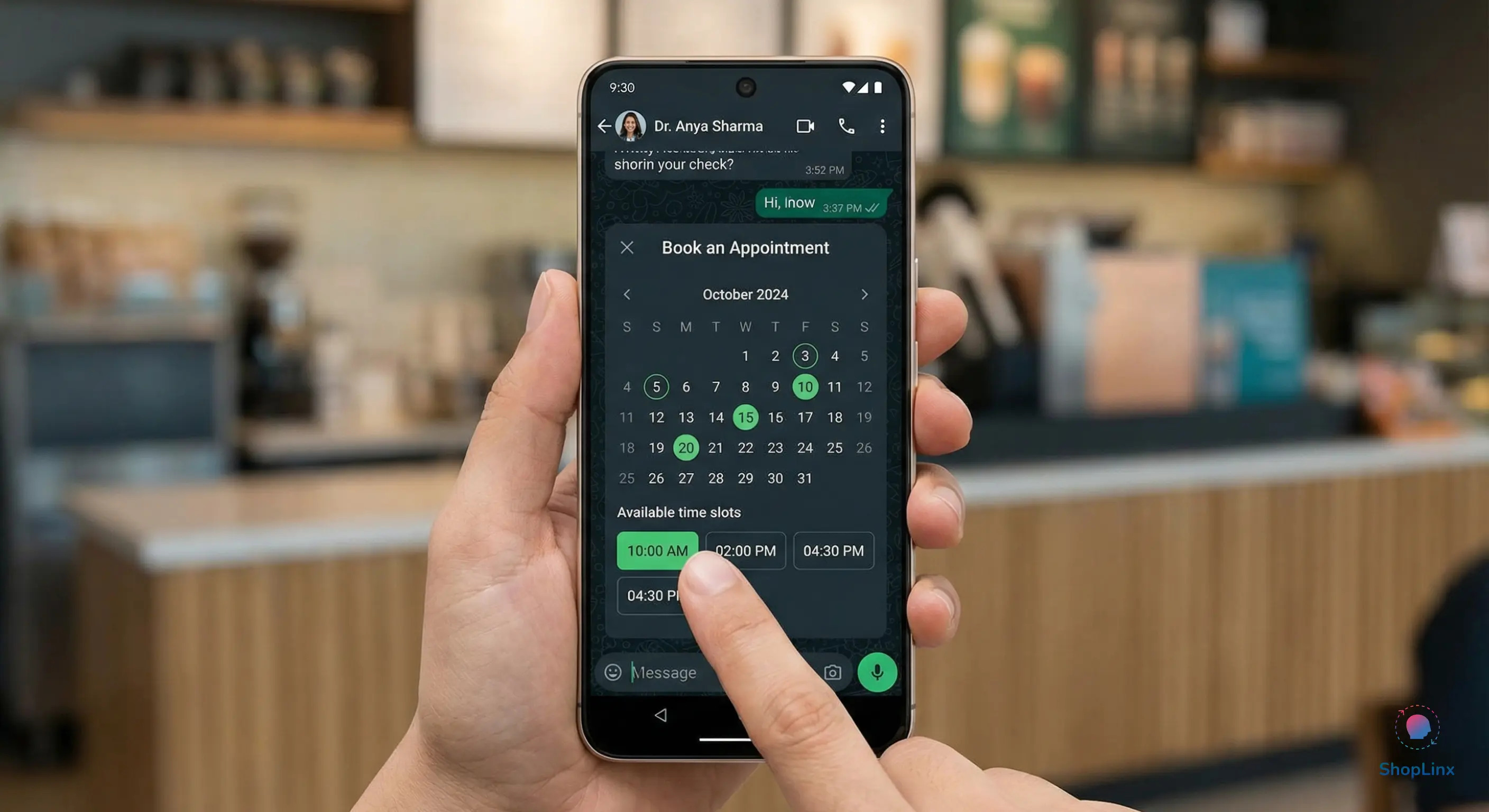
  • Define Screens: Create multiple steps (e.g., Step 1: Contact Info, Step 2: Service Selection, Step 3: Date/Time).
  • Add Components: Drop in text fields, radio buttons, dropdown menus, and even Calendar Pickers for scheduling.
  • Sync Data: Automatically push the submitted information into your Shoplinx CRM or an external webhook.

Interactive appointment booking calendar inside a WhatsApp chat window.

Expert Insight: WhatsApp Flows vs. Web Forms

In our 2026 performance audit, we found that traditional web forms suffer from a 67% abandonment rate due to slow mobile loading and the "context switch" of leaving the app. In contrast, interactive lead forms built with WhatsApp Flows maintain the user's focus, leading to a 3x higher completion rate. When you keep the user inside the chat, you keep the conversion alive.

By removing the "External Link" from your sales funnel, you aren't just improving the user experience—you are mathematically increasing your chances of a successful lead capture. The tech works silently, but the results are visible in your bottom line.

4 High-Converting Use Cases for Service & D2C Brands

The power of WhatsApp Flows lies in their versatility. Whether you are selling a luxury apartment or a high-end skincare product, the goal is the same: reduce the steps between the "Ask" and the "Action." In 2026, brands are using Flows to replace clunky website redirects with smooth, in-app experiences.

Here are four high-impact ways to implement Flows today:

1) Instant Lead Qualification (Real Estate & B2B)

In sectors like Real Estate, every lead is not a good lead. Traditionally, an agent has to call to ask, "What is your budget?" or "Are you looking for a 2BHK?" With a WhatsApp Lead Flow, the moment a user clicks your ad, a screen pops up inside WhatsApp asking these qualification questions. The data is instantly sent to your Shoplinx dashboard, allowing your sales team to prioritize only the "Hot" leads.

2) Frictionless Appointment Booking (Healthcare & Salons)

One of the most popular uses for WhatsApp Flows is scheduling. Instead of a back-and-forth chat about availability, you can present a real-time calendar.

Users can select their preferred date, choose a time slot, and confirm the booking—all within 15 seconds. This native experience eliminates the friction of opening a third-party booking link like Calendly.

3) Interactive Customer Surveys (D2C & E-commerce)

Email surveys are ignored, and SMS links are often blocked as spam. However, a WhatsApp Flow makes providing feedback feel like a quick game.

  • Product Recommendations: Ask 3 questions about skin type and show the best product.
  • Post-Purchase Feedback: Collect 1-5 star ratings and detailed reviews immediately after delivery.

4) Event Registration & RSVPs (Professional Services)

Whether you are hosting a webinar or a local property launch, collecting RSVPs has never been easier. Use a Flow to collect the attendee's name, email, and specific interests. Since WhatsApp already has the user's phone number, the "Form" is partially pre-filled, making the registration process almost instantaneous.

Step-by-Step: Best Practices for Designing High-Performance WhatsApp Flows

Building a WhatsApp Flow is technically simple, but designing one that actually converts requires a strategic approach. Unlike a website where you have plenty of screen real estate, a WhatsApp chat is intimate and limited. Every word and every button must serve a specific purpose.
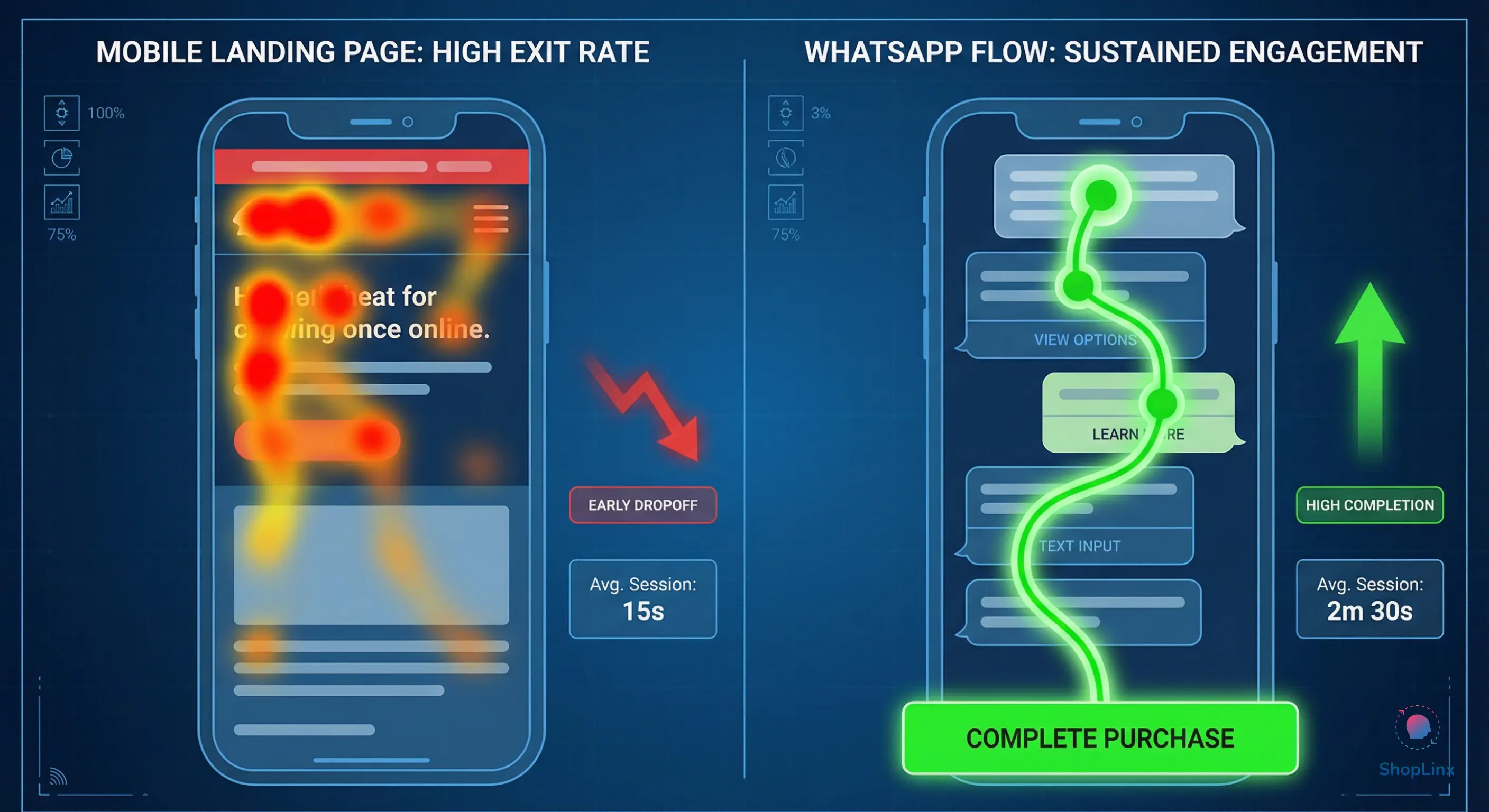
Heat-map comparison showing higher user focus on WhatsApp Flows than mobile web forms.

To ensure your Flows deliver the highest ROI, follow the Shoplinx Expert Methodology for "Flow UX":

1) The "Rule of Three" Screens

Avoid "Form Fatigue." In 2026, the most successful WhatsApp Flows are short and punchy. Ideally, your Flow should not exceed three screens:

  • Screen 1: Welcome & Primary Objective (e.g., "Select your Service").
  • Screen 2: Essential Data Collection (e.g., "Name & Phone").
  • Screen 3: Confirmation & Next Steps (e.g., "Thank you! We will call you at [Time]").

2) Use Clear, Action-Oriented Buttons

Don't use vague labels like "Submit" or "Next." Instead, use high-intent language that reinforces the benefit.

  • Bad: "Submit Form"
  • Good: "Book My Free Consultation" or "Claim My Discount Code"

3) Pre-fill Data Wherever Possible

Since the user is already logged into WhatsApp, the system knows their phone number. A high-performance Flow should automatically pull this data so the user doesn't have to type it. This reduces manual effort and significantly lowers the drop-off rate.

4) Design for "Thumb-Friendly" Navigation

Most users interact with WhatsApp using one hand. Ensure your buttons and selection lists are large enough to be tapped easily without errors. Avoid placing too many options in a single dropdown menu; use radio buttons for 2-3 choices to make them visible at a glance.

Expert Tip: The "Success Message" Sync

Once a user completes a Flow, do not just leave them hanging. Use the Shoplinx automation engine to send an immediate "Success Message" in the chat thread. This confirms the data was received and provides the user with a permanent record of their interaction, which builds immense trust.

How to Launch Your First WhatsApp Flow via Shoplinx.ai

Launching a high-converting WhatsApp Flow in 2026 doesn't require a team of developers. Shoplinx.ai has simplified the process into a visual, drag-and-drop experience. By integrating directly with the Meta Cloud API, we ensure your Flows are professional, secure, and ready to scale.
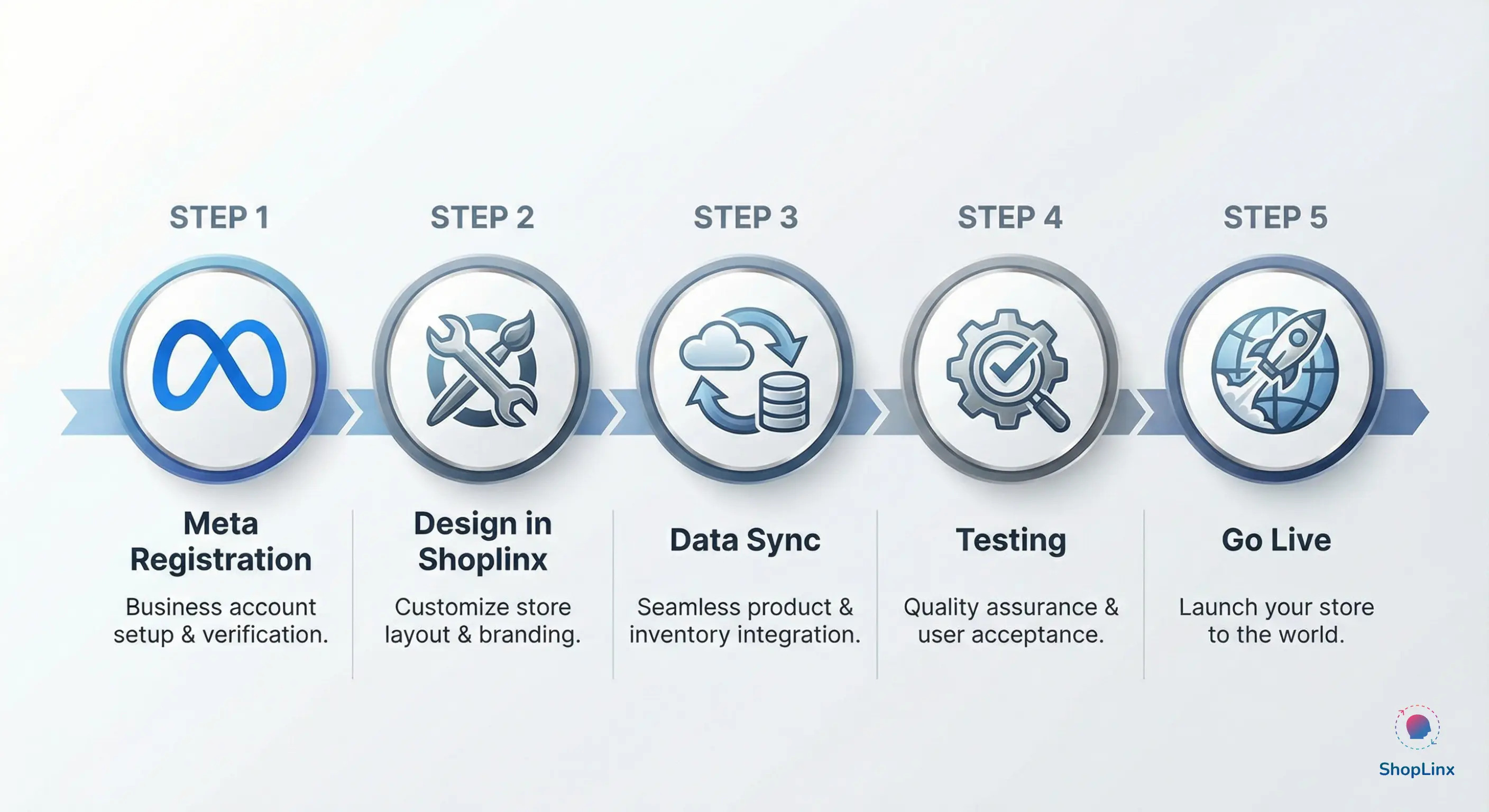
Step-by-step roadmap to launch WhatsApp Flows using Shoplinx and Meta.

Here is your 5-step roadmap to launching your first Flow:

  1. Register Your Flow on Meta: Log in to your Meta Business Manager and navigate to the 'WhatsApp Manager.' Under the 'Flows' tab, click 'Create' to register your new Flow name and category (e.g., Lead Generation or Appointment Booking).
  2. Design the Interface: Use the Shoplinx Flow Builder to design your screens. Drag in calendar pickers for bookings, text fields for names, and dropdowns for service selection.
  3. Map Your Data: Decide where the information goes. You can sync the Flow data directly to your Shoplinx CRM, a Google Sheet, or your favorite external CRM via Webhooks.
  4. Test the Flow: Before going live, send a test Flow to your own WhatsApp number. Ensure the transitions between screens are smooth and the "Success Message" triggers correctly.
  5. Deploy via Automation: Once ready, attach your Flow to a keyword trigger (e.g., when a user types "Book") or include it as a CTA button in your Click-to-WhatsApp Ads.

Frequently Asked Questions (FAQ)

Q1: Do WhatsApp Flows work on the standard WhatsApp Business App?
A: No. WhatsApp Flows is an advanced feature available only through the Official WhatsApp Cloud API. However, with Shoplinx’s coexistence technology, you can use Flows on your number while still keeping your mobile app active.

Q2: Are WhatsApp Flows free to send?
A: Meta includes Flows within their standard "Service" or "Marketing" conversation rates. There is no additional "per-flow" fee. With Shoplinx’s Zero Markup policy, you only pay the official Meta conversation rates.

Q3: Can I collect payments inside a WhatsApp Flow?
A: As of 2026, you can integrate payment gateways to collect payments natively within the chat thread in supported regions, making it a complete end-to-end checkout experience.

Q4: Do I need to know JSON or coding to build these?
A: Not with Shoplinx. Our visual builder handles all the complex JSON coding in the background. If you can use a drag-and-drop editor, you can build a high-performing WhatsApp Flow.

Conclusion: The Native Advantage

The digital landscape of 2026 demands speed and simplicity. By moving away from external links and adopting WhatsApp Flows, you are respecting your customer's time and attention. Whether you are a service provider or a D2C brand, the ability to collect data and book appointments natively inside the chat is your greatest competitive advantage.

Stop forcing your leads to wait for a website to load. Turn your WhatsApp thread into a high-converting engine with Shoplinx.ai.

**Ready to eliminate friction and triple your conversions?

Build Your First WhatsApp Flow with Shoplinx – Get Started for Free**

Tags

WhatsApp FlowsInteractive lead formsWhatsApp in-chat bookingZero friction marketingWhatsApp Business API 2026Native WhatsApp appAutomated appointment schedulingWhatsApp Flow BuilderIn-chat forms